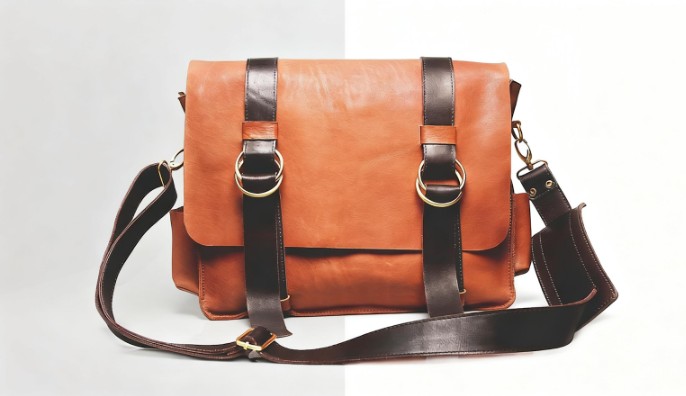
Background removal has become essential for anyone creating visual content—e-commerce sellers needing clean product shots, social media managers preparing branded content, or designers extracting subjects for composites. Two free tools consistently rank among top recommendations: Vheer Background Remover and PhotoRoom. Both leverage AI to automate what once required hours of manual Photoshop work, but they serve different user needs and workflows.
Understanding the differences between these platforms helps you choose the right tool for your specific situation and avoid the frustration of committing to a tool that doesn’t match your requirements. Let’s compare Vheer and PhotoRoom across the criteria that actually matter in day-to-day use.
Overview: What Each Tool Does Best
Vheer Background Remover prioritizes accessibility and straightforward background removal. The tool requires no account creation, supports batch processing up to 20 images simultaneously, and delivers clean results with minimal friction. It’s designed for users who want reliable background removal without navigating complicated interfaces or committing to subscription plans.
PhotoRoom positions itself as an all-in-one mobile-first solution for product photography and e-commerce. Beyond background removal, it offers templates, lighting adjustments, and marketplace-specific export formats. PhotoRoom excels for mobile users and sellers needing complete product photo workflows rather than isolated background removal.

Feature-by-Feature Comparison
Ease of Access and Setup
Vheer: No account required. Navigate to the website, upload your image, and remove backgrounds immediately. This no-registration approach respects user time and privacy—a refreshing alternative to tools that demand email addresses before delivering any value.
PhotoRoom: Requires account creation, even for the free tier. The mobile app prompts for sign-up immediately upon download. While the registration process is straightforward, it adds friction for users wanting quick, one-off edits without committing to yet another platform account.
Winner: Vheer, for immediate access without barriers
Interface and Learning Curve
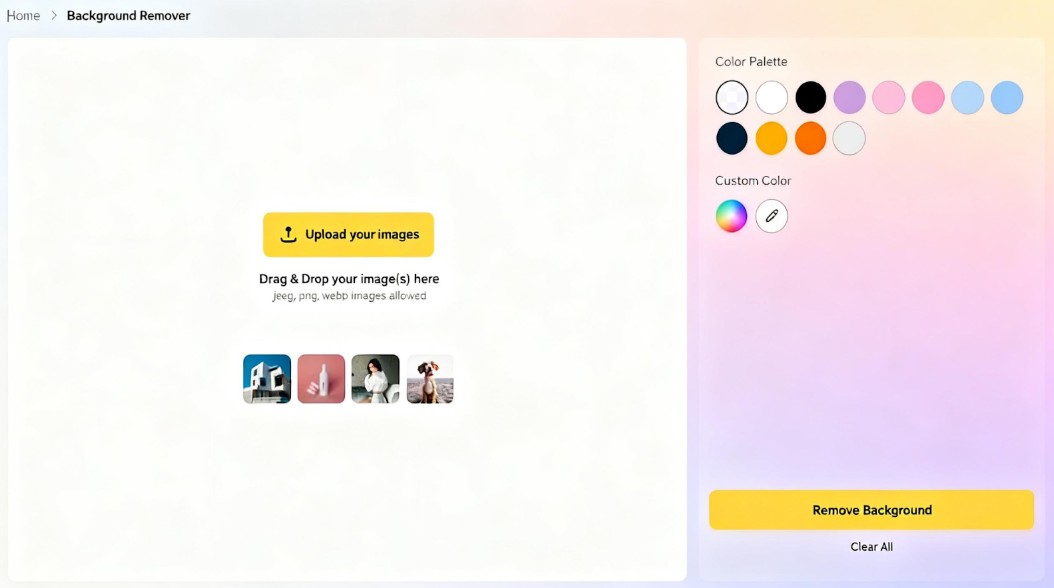
Vheer: Browser-based interface with three clear steps: upload, remove background, download. The minimalist design requires zero learning curve. Even first-time users can complete background removal within 30 seconds of first visiting the site.
PhotoRoom: More feature-rich interface with editing tools, templates, and export options. This depth is valuable for power users but creates a steeper learning curve for simple background removal tasks. New users may need time to locate the background removal feature among the broader feature set.
Winner: Vheer, for simplicity and speed
Background Removal Accuracy
Vheer: Strong performance across product photography, portraits, and general subjects. The AI handles hair, fur, and transparent objects competently. Edge detection produces clean cutouts suitable for professional use, particularly on product images with clear subject-background separation.
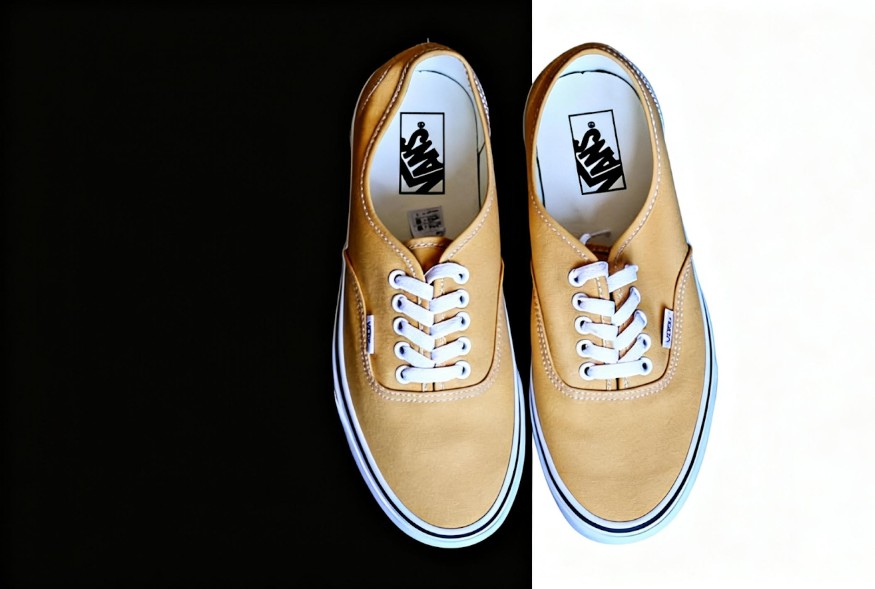
PhotoRoom: Exceptionally accurate on product images, particularly e-commerce items photographed on solid backgrounds. The tool’s training on marketplace photos gives it an advantage on commercial product shots. Portrait performance is solid but occasionally struggles with extreme hair details compared to dedicated portrait tools.
Tie: Both tools deliver professional results; PhotoRoom edges ahead on product photography, Vheer offers more consistent performance across diverse image types
Batch Processing
Vheer: Supports uploading up to 20 images for batch bg removal. All images process sequentially without user intervention, making it practical for updating entire product catalogs or processing photo sessions efficiently.
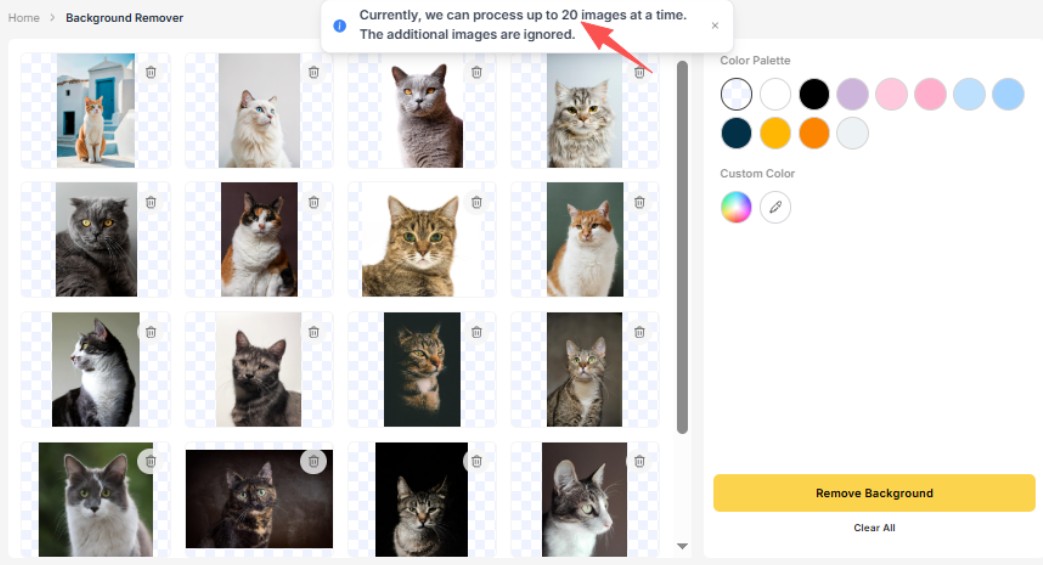
PhotoRoom: Free tier limits batch processing significantly. The platform emphasizes single-image workflows on the free tier, with bulk features reserved for paid subscriptions. This limitation makes PhotoRoom less practical for users regularly processing multiple images.
Winner: Vheer, for genuine batch processing on the free tier
Platform Availability
Vheer: Web-based tool accessible from any browser on desktop or mobile. No app installation required. Works on Windows, Mac, and mobile platforms through the browser.
PhotoRoom: Native mobile apps (iOS and Android) with desktop web access. The mobile-first design makes PhotoRoom excellent for on-the-go editing, particularly for users photographing products with phones and immediately processing images.
Winner: PhotoRoom for mobile users; Vheero for desktop/browser users
Output Quality and Options
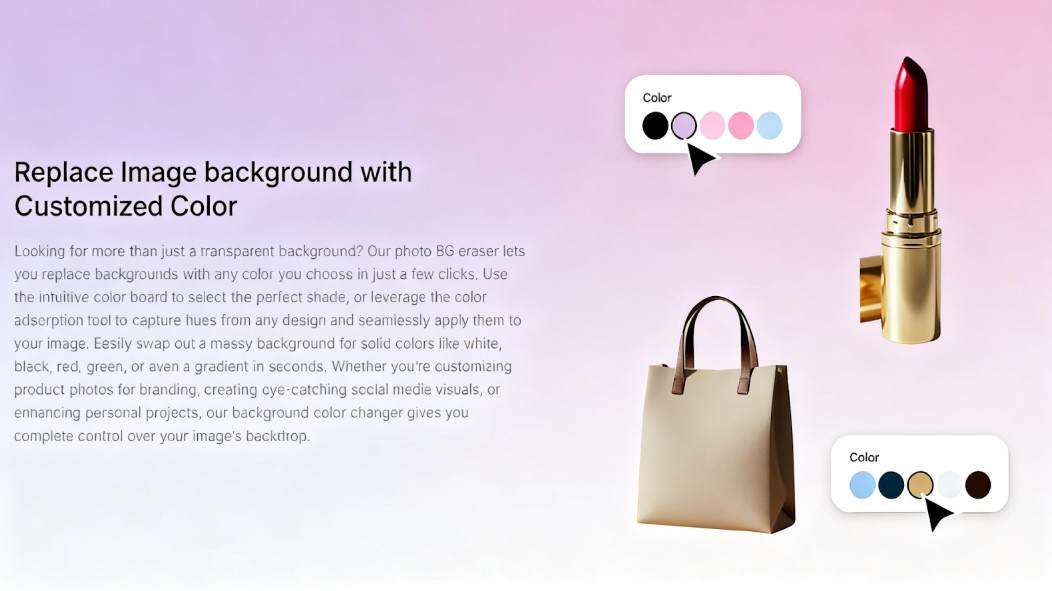
Vheer: Provides transparent PNG downloads suitable for any subsequent design work. Offers built-in color panel for adding solid backgrounds (white, black, or custom colors) directly within the tool before downloading.
PhotoRoom: Offers various export formats tailored to specific marketplaces (Amazon, Shopify, etc.) and social media platforms. Template-based backgrounds and scene creation options extend beyond simple solid color backgrounds.
Winner: Depends on needs—Vheer for transparency and simplicity, PhotoRoom for marketplace-specific exports and creative backgrounds
Cost and Free Tier Limitations
Vheer: Completely free with no stated limits on processing volume or resolution during testing. No premium tiers or upgrade prompts within the interface. The tool provides full functionality without requiring payment.
PhotoRoom: Freemium model with generous but limited free tier. Free users face daily processing limits, resolution restrictions, and feature limitations. Advanced templates, bulk processing, and high-resolution exports require subscription.
Winner: Vheer, for unlimited free use
Use Case Suitability
Vheer Excels For:
- – Quick one-off background removal without account creation
- – Batch processing multiple images simultaneously
- – Users preferring browser-based workflows
- – Designers needing clean PNG cutouts for further editing
- – Privacy-conscious users avoiding account registration
PhotoRoom Excels For:
- – E-commerce sellers needing marketplace-ready product photos
- – Mobile users photographing and editing on phones
- – Users wanting complete photo editing workflows in one app
- – Creators needing template-based backgrounds and scenes
- – Social media content creation with built-in design tools
How to Use Vheer Background Remover
For users prioritizing simplicity and batch processing, here’s the complete Vheer workflow:
Step 1: Go to Vheer’s Background Remover
Open your web browser and navigate to Vheer’s homepage. From the navigation menu, select Background Remover under the Image Tools section. The tool loads directly in your browser with no installation required.
Step 2: Upload Your Images
Click the Upload your images button to add your photos. You can upload a single image in JPEG, PNG, or WebP format, or select multiple files—up to 20 images at once for batch processing.
Step 3: Remove or Edit the Background
Click the Remove Background button to initiate AI processing. The background removal completes in seconds, leaving your subject isolated against a transparent background. You can then download the result directly or apply a new background color using Vheer’s color panel.
How to Use PhotoRoom Background Remover
Step 1: Download and Create Account
Download the PhotoRoom app from the App Store or Google Play, or access the web version. Create an account using email or social login.
Step 2: Upload Your Image
Select or photograph your image within the app. PhotoRoom’s mobile integration makes this particularly seamless for phone-based product photography.
Step 3: Remove Background and Edit
The AI automatically will remove background from image. From here, you can add templates, adjust lighting, change backgrounds, or export in various formats optimized for your destination platform.
Which Should You Choose?
Choose Vheer If:
- – You need to process multiple images at once
- – You want background removal without creating an account
- – You work primarily on desktop or laptop
- – You need transparent PNGs for further design work
- – You prefer completely free tools with no upgrade prompts
Choose PhotoRoom If:
- – You primarily edit on mobile devices
- – You sell on marketplaces and need platform-specific exports
- – You want integrated templates and design tools
- – You photograph products directly with your phone
- – You don’t mind account creation for enhanced features
The Bottom Line
Vheer and PhotoRoom both deliver image background removal, but they serve different users effectively. Vheer prioritizes accessibility, batch processing, and friction-free access—making it ideal for users who want straightforward background removal without commitment. PhotoRoom offers a more comprehensive mobile-first solution for e-commerce sellers willing to trade some complexity for advanced features.
For most users seeking simple, reliable background removal, Vheer’s no-registration approach and batch processing capabilities make it the more practical choice. Try Vheer’s free Background Remover at https://vheer.com/background-remover to experience professional results without the barriers.
If you’re an e-commerce seller working primarily from mobile devices and need marketplace-specific templates, PhotoRoom’s focused feature set justifies the account requirement and potential subscription for advanced features.
Ultimately, both tools demonstrate that AI background removal has matured into a genuinely useful technology accessible to everyday users without technical expertise or expensive software.